
What Is AlgoBuilderX and What Does “Block Flow” Mean?
AlgoBuilderX (ABX) is a visual strategy builder that lets you create automated trading systems without writing a single line of code.
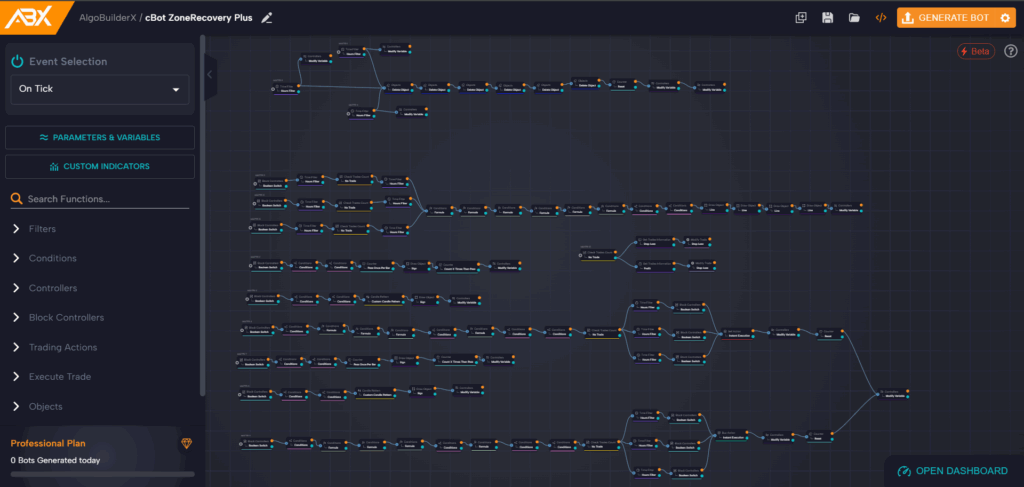
Everything happens through logical blocks connected together in a flow, called the block flow, which defines, step by step, how your Cbot behaves.
Think of each block as a small piece of code, but visual. By connecting them, you build the logic of your strategy, checking conditions, managing executions, and setting buy or sell actions.
The block flow is therefore the core of ABX, as it determines the order and logic of execution.
The “Master” Concept in ABX
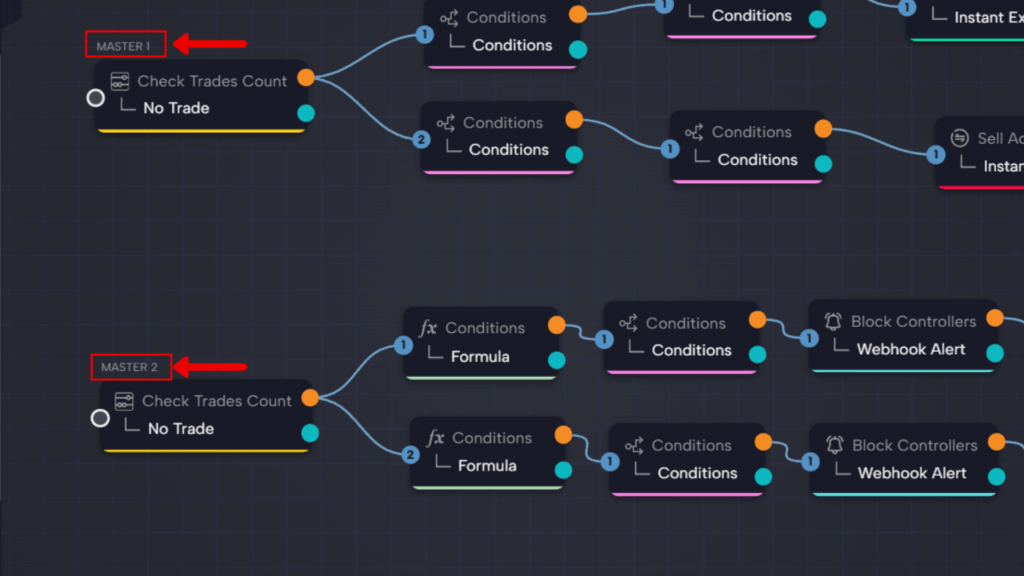
In ABX, every flow of blocks starts from a point called MASTER.
The Master is not a block, but an automatic label assigned to the first block in each flow.
They are named automatically as Master 1, Master 2, Master 3, and so on, depending on the order in which you create them.
This allows you to build multiple independent flows within the same strategy.
When you start the Cbot, AlgoBuilderX executes the flows in order: first Master 1, then Master 2, and so on.
👉 In practice:
- Master 1 → runs its connected blocks.
- Master 2 → executes after Master 1 finishes.
- And so forth, in numeric order.
Logical Flow Between Blocks: From Left to Right
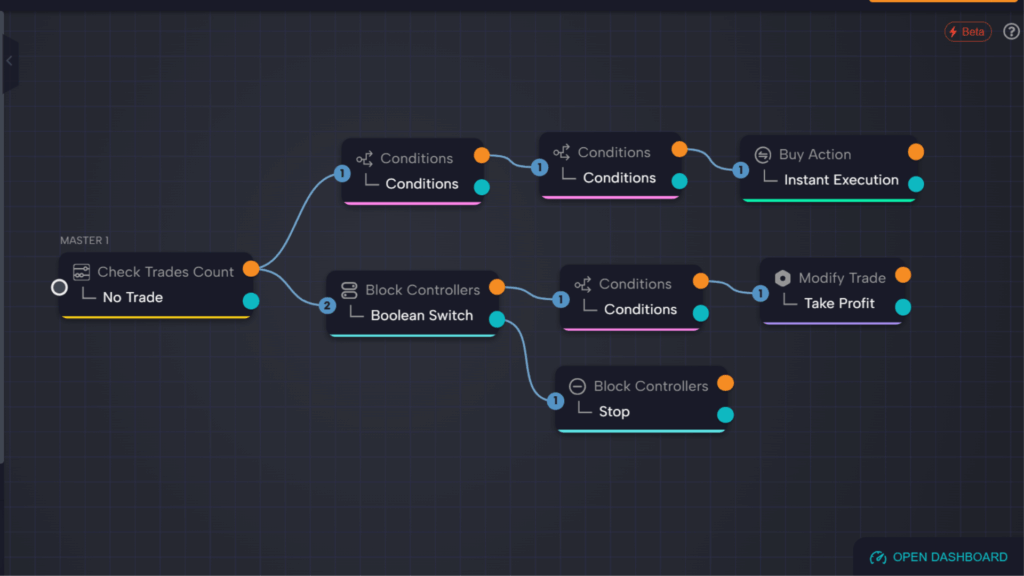
All flows in AlgoBuilderX move from left to right, following a clear, logical order of execution.
Each block includes:
- 🟠 Orange output → represents the True condition.
- 🔵 Blue output → represents the False condition.
- ⚫ Gray input → where the signal enters from the previous block.
When a block executes:
- If the result is True, ABX follows the orange output.
- If it’s False, it follows the blue output.
If an output is not connected to another block, the flow ends there, and the system moves on to the next Master flow (e.g., Master 2).
💡 There is also a Stop block, which completely halts the Cbot when triggered, useful for safety or exit logic.
Understanding Numeric Inputs (1, 2, etc.)
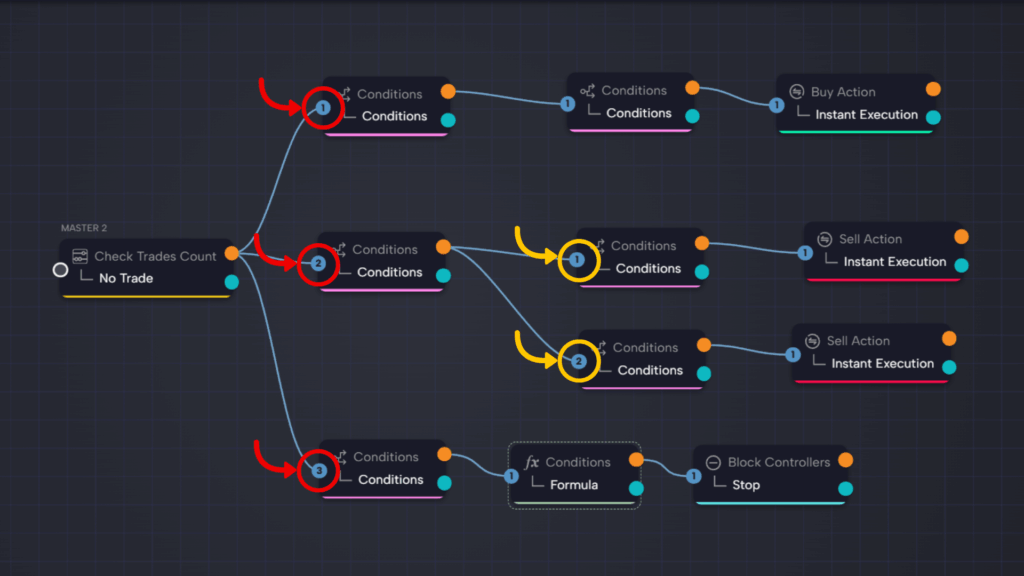
You’ll often see numbers (1, 2, 3) next to inputs or outputs on blocks in AlgoBuilderX.
These indicate the execution order when multiple connections come from the same block.
In short:
- The flow follows the “1” connection first,
- Then continues with “2”,
- And so on.
This system lets you manage parallel or multi-branch flows while keeping a clear priority order — especially helpful when one condition triggers multiple actions.
Flow Execution and Control
When a strategy runs, AlgoBuilderX executes:
- The complete flow starting from Master 1, following the True/False connections.
- Then it moves on to Master 2, executing its flow.
- And continues through all Masters defined in the project.
Each flow can end in two ways:
- When there’s no output connected (natural end of the flow).
- When a Stop block is triggered (terminates the Cbot).
This modular system makes ABX extremely flexible: you can design small independent logics that run sequentially, keeping your strategy organized and error-free.
The block flow in ABX is what brings your automated strategy to life.
Understanding how Masters, True/False outputs, and numeric inputs work allows you to fully control your Cbot’s logic.
Start by building a simple flow, for example, Check Trades Count → Condition → Buy Action — then expand with more Masters as you gain experience.
With practice, AlgoBuilderX will become your visual language for building powerful, code-free trading strategies.
If you need help or want to share ideas with other AlgoBuilderX users, join our official Discord community.