
You expected 0.10 lots and the bot opened a position ten times larger. That is the moment most traders start troubleshooting a cTrader bot that opens wrong trade sizes, usually with a sinking feeling and a shrinking balance.
The good news is that wrong sizes almost always come from a small number of causes. Once you know where to look, the fix is quick. If your strategy already works and you just need the sizing logic to behave, a no-code builder like AlgoBuilderX can remove a lot of the guesswork.
Why Trade Sizes Go Wrong
Before changing anything, understand the usual suspects. Troubleshooting a cTrader bot that opens wrong trade sizes starts with sorting the problem into one of four buckets: units, risk maths, symbol differences, or account changes.
The most common one is units. cTrader works with volume in units, not lots. A bot that passes 1 as volume is asking for one unit, while a bot that passes 100000 is asking for a standard lot on a typical forex pair. Mix these up and your size is off by a factor of thousands.
The second cause is risk-based sizing that depends on a stop loss distance. If the stop is missing, tiny, or measured in the wrong unit, the formula returns a huge or tiny volume.
The third is symbol differences. Gold, indices and crypto CFDs do not share the same tick value or lot definition as EURUSD. The fourth is account state: balance, equity and currency can all change what a percent-risk formula returns.
Troubleshooting a cTrader Bot That Opens Wrong Trade Sizes, Step by Step
Work through this order. It goes from the cheapest checks to the deeper ones, so you do not waste an evening on the wrong layer.
Step 1: Compare expected and actual volume
Open the trade history and look at the volume column for the wrong trade. Then compare it with what your settings say. A ratio of exactly 100000 almost always means a lots versus units mix-up.
Step 2: Troubleshooting a cTrader bot that opens wrong trade sizes through the log
Add log lines that print the calculated volume before the order is sent. If the printed number is already wrong, the problem is in your calculation. If it is right but the trade is different, the problem is in rounding or broker limits.
Step 3: Check broker volume limits and steps
Every symbol has a minimum volume, a maximum volume and a step. A bot that does not normalize its volume can have it rounded up or rejected. This is a classic reason for sizes that look random.
Step 4: Test on a demo with fixed inputs
Run the bot on a demo account with fixed parameters and one symbol. Change one thing at a time. If you change three things at once, you will never learn which one fixed it.
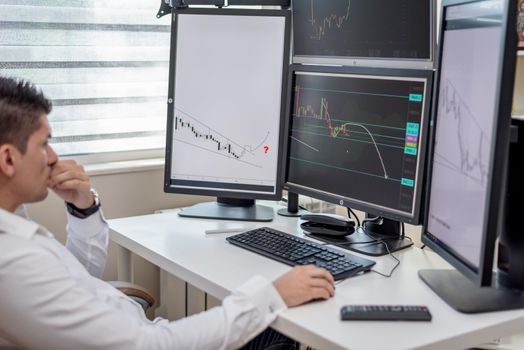
Check the Risk Logic Behind Your Volume
If the units are right, look at how the bot decides how much to risk. Troubleshooting a cTrader bot that opens wrong trade sizes often ends here, because percent-risk formulas are easy to get subtly wrong.
A typical formula takes account balance, multiplies by a risk percentage, then divides by stop loss distance times pip value. Every piece of that can break. A stop loss of zero produces a giant number. A stop in points instead of pips shifts the result by ten. A deposit in a different currency changes the pip value.
Here is a quick way to compare the common sizing approaches and where each one tends to fail.
If a wrong size is also hurting your results, it pairs well with our guide on why a cTrader bot loses money, since oversized positions are one of the fastest ways to lose it.
Build Position Sizing Once, Without Code
Many sizing bugs appear because the trader copied a snippet from a forum and never fully understood it. That is hard to avoid when you are not a programmer, and it is exactly the gap AlgoBuilderX is meant to close.
AlgoBuilderX lets you build cTrader bots without writing code, so you describe the sizing logic you want (fixed volume, percent risk, a cap) and get a working bot faster than coding it by hand. You see the rule as a rule, not as a line you hope is correct.
This matters for troubleshooting a cTrader bot that opens wrong trade sizes, because fewer hand-written lines means fewer places for a units mistake to hide. If you are still deciding on tools, our overview of no-code trading bot platforms compares the options.
Photos provided by Pexels.
Prevent It From Happening Again
Fixing one bad trade is good. Making sure it cannot repeat is better. A few habits turn troubleshooting a cTrader bot that opens wrong trade sizes into a one-time event.
First, set a hard maximum volume that the bot can never exceed, whatever the formula returns. Second, refuse to trade when the stop loss distance is zero or missing. Third, normalize every volume to the symbol’s step and limits before sending the order.
Fourth, keep a short checklist for each new symbol. Check its volume step, minimum and pip value once, and note it down. Finally, review the first live trades manually and compare them to your expected size.
For the official definitions of volume, units and symbol rules, the cTrader Help Center is the most reliable reference.
Frequently Asked Questions
What is the first thing to check when troubleshooting a cTrader bot that opens wrong trade sizes?
Check volume units. cTrader uses units, not lots, so a lots versus units mix-up is the most common cause. Compare the volume in your trade history with what you intended, and look at the ratio between them.
Can I avoid troubleshooting a cTrader bot that opens wrong trade sizes without coding skills?
Yes. With AlgoBuilderX you define your sizing rules visually and generate a cTrader bot without writing code. That reduces the hand-written volume maths where most sizing mistakes start.
Why does my bot size differently on gold than on EURUSD?
Different symbols have different pip values, volume steps and limits. A formula that works on a forex pair can return an odd size on gold or an index, so always check the symbol’s rules before trusting the output.
Conclusion
Troubleshooting a cTrader bot that opens wrong trade sizes comes down to a clear routine: compare expected and actual volume, log the calculation, check units and stop distance, then add hard caps. Do that once and the problem rarely returns.
If you would rather not maintain sizing code yourself, AlgoBuilderX gives you a direct way to turn your trading logic into a working cTrader bot, with the position size rules built the way you intended.
Ready to try this yourself?
AlgoBuilderX helps you put this into practice, without extra busywork.